> For the complete documentation index, see [llms.txt](https://docs.ipor.io/llms.txt). Markdown versions of documentation pages are available by appending `.md` to page URLs; this page is available as [Markdown](https://docs.ipor.io/fusion-for-depositors/user-guide/withdrawing.md).
# Withdrawing
Withdrawing from Fusion vaults depends on the type of vault. Please refer to the next subsections to learn more.
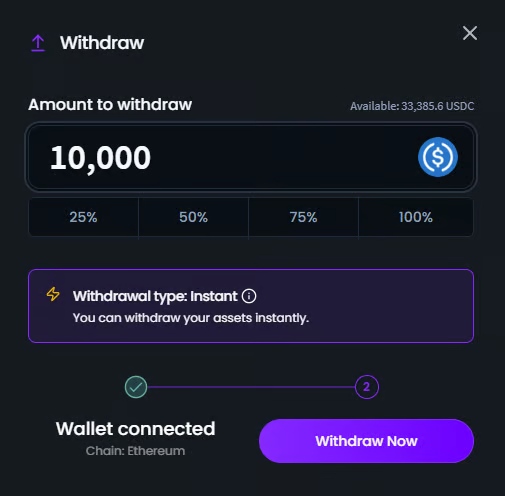
## Instant Withdrawal
Vaults that support the instant withdrawal method allow users to withdraw their assets immediately without any waiting period. This is particularly true for vaults with liquid strategies, such as a lending optimizer vault.
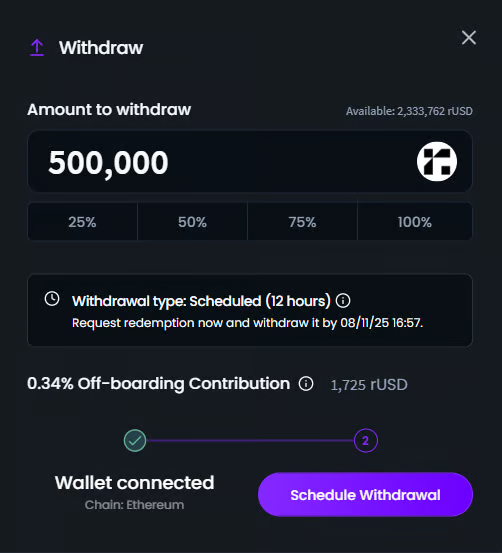
## Scheduled Withdrawal
Withdrawing from some types of Fusion vaults (like leveraged looping) requires unwinding a complex \[leveraged] position. As a result, withdrawals must be scheduled in advance to give the Atomist sufficient time to prepare the necessary liquidity.
Scheduling a withdrawal is a two-step process:
1. **Request Withdrawal**: First, submit a withdrawal request.
2. The vault manager has a specific time, individually specified for each vault, to process and fulfill it.
3. Monitor the withdrawal page to check the status.
4. **Finalize Withdrawal**: Once ready, the funds will become available for withdrawal.
> NOTE: Missing the withdrawal window will restart the two-step process and incur an additional [Offboarding Contribution](/fusion-for-depositors/user-guide/vault-fees/onboarding-and-offboarding-contributions.md), if this is levied in the respective vault.
## Hybrid Withdrawal
All vaults have hybrid withdrawals enabled, which means that they can support both scheduled and instant withdrawals. If a scheduled withdrawal vault has a buffer of liquid assets, it may permit instant withdrawals when the requested amount is equal to or less than the available (unused) liquidity.